
Assignment: Citation Manager Setup (Zotero)
- Jan 9
- 2 min read
I had used Zotero last quarter to help me track, cite, and provide my sources to others. Zotero was already installed, so my first action was to create an organizational structure using folders so that my new LIS 530 data had its own place.

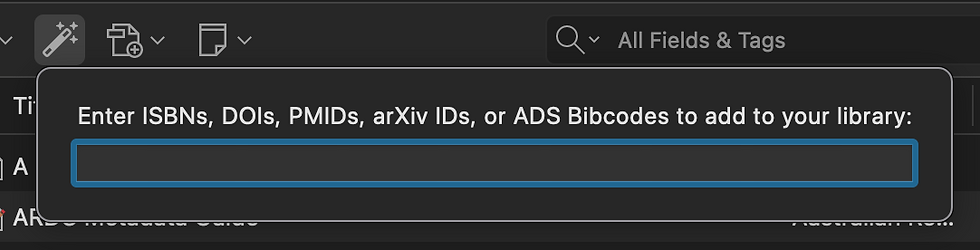
I decided to upload my entire “LIS 530 Readings” folder to see how Zotero would handle the data. It was my first time using the drag and drop feature with PDFs, and I was surprised to see that much of the automatic metadata gathering was accurate. I had to manually correct items for which data wasn’t found (I mostly typed into wrong fields directly or found a DOI and used Zotero's re-parenting feature), and I imported one webpage using the browser extension, but the data input process was quicker than I expected.

To separate the week one readings, I tagged all five readings with “week 1.” I then added at least one more descriptive tag based on my impression of each reading. If I continue using Zotero, I would expect to add more tags as I go: which week the reading was from, the general topic, and my impressions of the article may all qualify as future tags. My notes were mostly broad impressions of the readings for future reference.
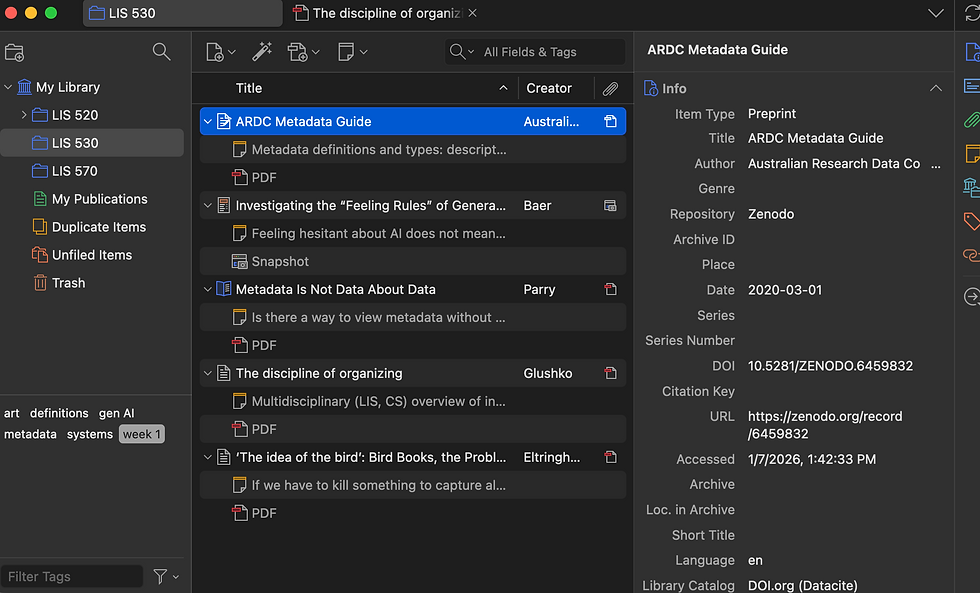
I reflect on the Eltringham article 'The idea of the bird' when I look at the “snapshot” Zotero captured from “In the Library with the Lead Pipe.” A website is often “in motion;” a URL and what it points to can change as a bird might change its behaviors as it migrates. The website snapshot serves as our “this place, this time” photograph with an understanding that its existence at that time might be much different than the present or the future. This metaphor helps describe how I feel about capturing citational data in a tool like Zotero.
By adding context around where, when, and how I interacted with each source using folders, tags, and notes, the perspectives through which I viewed each source in this course can remain.

References
Baer, A. (n.d.). Investigating the “Feeling Rules” of Generative AI and Imagining Alternative Futures – In the Library with the Lead Pipe. Retrieved March 11, 2026, from https://www.inthelibrarywiththeleadpipe.org/2025/ai-feeling-rules/
Eltringham, D. (2013). ‘The idea of the bird’: Bird Books, the Problem of Taxonomy, and Some Poems by R.F. Langley. PN Review, 210, 50–53.
Comments